

Are you a toy enthusiast or an aspiring entrepreneur looking to venture into the world of online retail? If so, you’re in the right place! In this blog, we’ll be exploring the exciting process of creating a toy store website using WordPress.
Whether you’re a seasoned business owner looking to expand your online presence or a passionate toy lover with dreams of starting your digital storefront, this step-by-step guide is here to help you bring your vision to life.
Let’s dive into the world of online toys retail together!
Create a Toy Store Website using the Zita site builder
Introduction-Zita Site Builder is a user-friendly platform for creating professional websites without coding. It offers customizable templates, drag-and-drop functionality, and SEO optimization.
With mobile responsiveness and e-commerce integration, it’s a comprehensive solution for online presence.
Benefits of Zita site builder-
- User-Friendly Interface: Intuitive platform for creating websites without coding knowledge.
- Customizable Templates: Range of templates and drag-and-drop functionality for personalized designs.
- SEO Optimization: Tools to enhance online visibility and search engine rankings.
- Mobile Responsiveness: Ensures websites are accessible and functional on various devices.
- E-commerce Integration: Capabilities for businesses to sell products or services online.
Let’s get started by Accessing Dashboard
Step 1: Navigate ‘Plugins’ and select ‘Add new’.

Step 2: Look for ‘Zita Site Builder’, then click ‘Install Now’ followed by ‘Activate’.

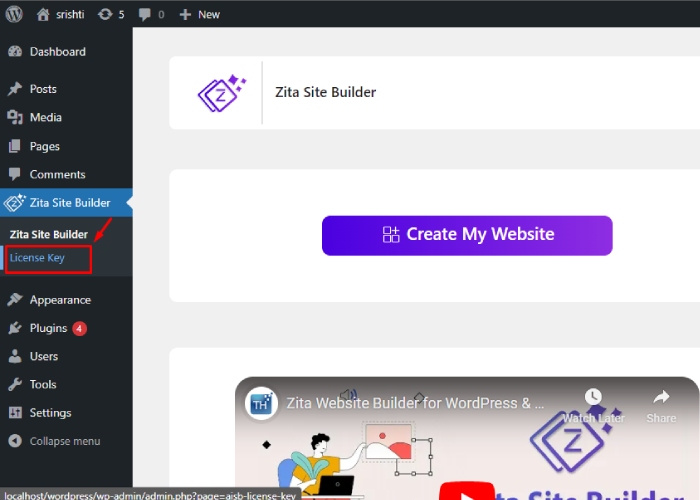
Step 3: Go to ‘Zita Site Builder’ and select ‘Create My Website’.

To access the site builder, simply locate it in the menu and click on it. Then, select “Create My Website” to begin the initial step of building your site with Zita Site Builder.
After selecting & Clicking on “Create My Website” the below page will be displayed in front of you, containing various styles and theme designs you can choose from.

If you want to access additional features, you can upgrade to the Pro version of Zita Site Builder by clicking “UPGRADE TO PRO” in the top-right corner. This will unlock a variety of interesting options for you to use.
Step 4. Let’s Upgrade the Zita site builder to pro

After clicking on ‘Upgrade to pro’ this will reach you to the Wpzita site you have to scroll down and look for the Prefer pricing.

Once you finish the purchasing process, you need to visit your Dashboard and find the ‘Plugins’ section. Click on the ‘Upload Plugins’ button at the top.
If you have a plugin in .zip format, you can install or update it by selecting ‘Choose file’ and then clicking ‘Install now’.
Next, return to your Dashboard and navigate to the ‘Plugins’ section again. Look for ‘Zita site builder pro’ and click on ‘Activate’.

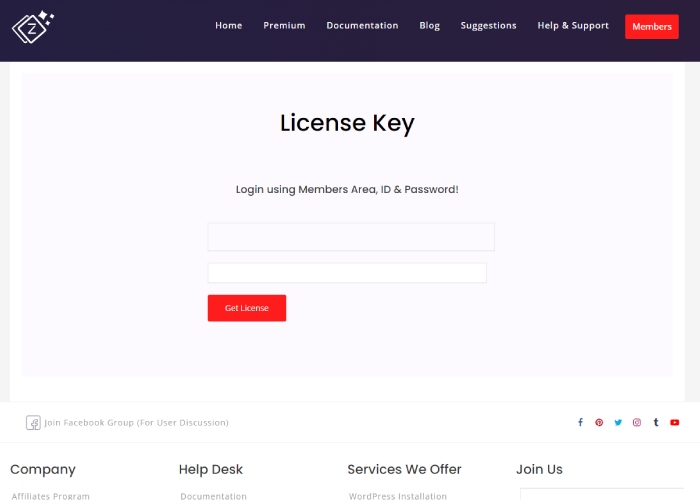
You must input a license key for activation.
Enter the license key here ↴

Here you can see that our Zita Site Builder Pro is now activated.
You can also watch this video tutorial.
Step 5: Select the design for the Toy Store:
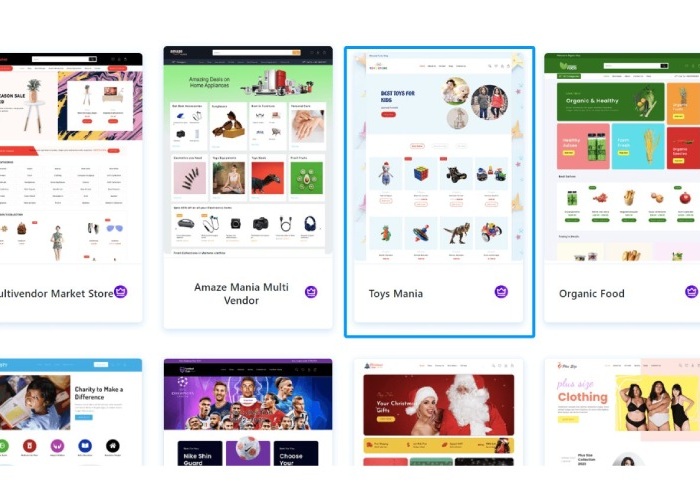
choose the design that best suits your preferences. Additionally, you can opt for a Page Builder tool to assist in customizing your site.
As an example, I have selected Elementor. Moving forward, your site will be edited using the Elementor Page Builder.
Step 6: Click on Continue

Here’s a preview of your website’s appearance. Once you’ve finished setting it up, your website will resemble this preview. If you’re happy with how it looks, feel free to click “Continue” to proceed. Otherwise, you can click “Back” to explore other design options.
Step 7: Check these points and click on Build My Website
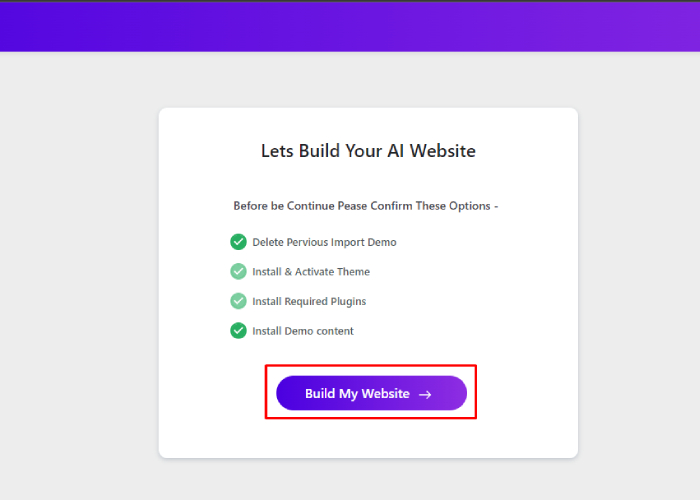
You’ve reached the final step in building your website. Review these points and unselect any options you don’t want, then proceed. Your website will be completed in just a few seconds.
Step 8: Select Customize or View Website
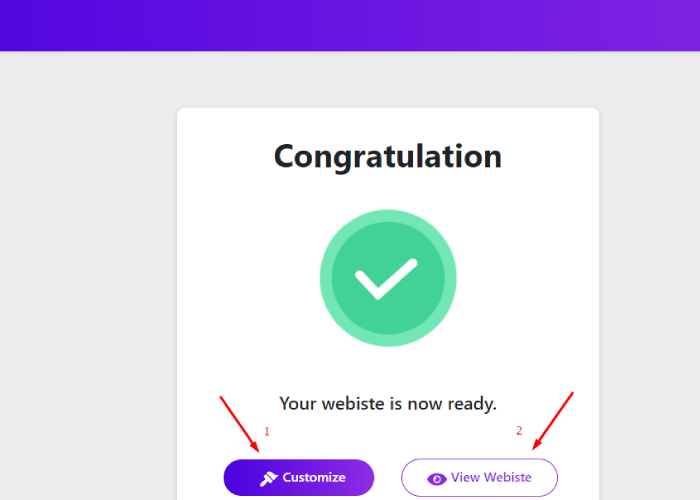
There are 2 options:
- After customizing the site, click on “Update” to save your changes. Then, navigate back and click on “View Website” to see your customized fashion store website live in action.
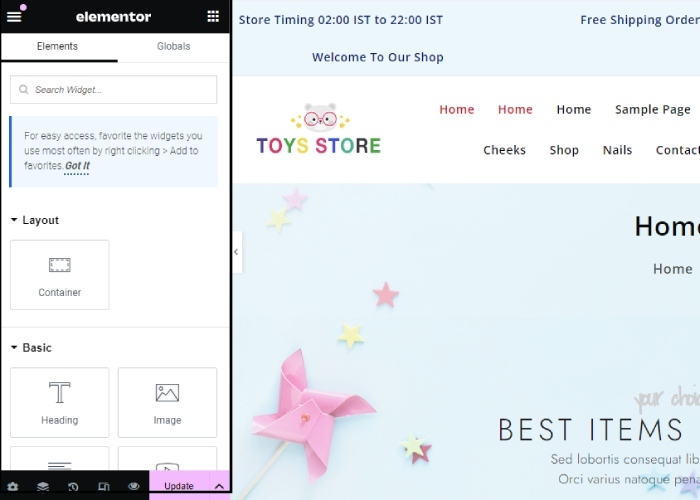
2. Upon clicking “View Website,” you’ll be directed to your live website, where you can see your fashion store in action.
Your website is ready

In just 5 simple steps, we’ve successfully created a new website for a Toy Store. This straightforward process demonstrates how easily you can build additional websites using the same method.
FAQ:
Q: Can I sell toys directly from my website?
Ans: Yes, you can! WordPress has a plugin called WooCommerce that allows you to set up an online store and sell products, including toys, directly from your website.
Q: Do I need to know how to code to build my toy store website?
Ans: No, you don’t need to know how to code. WordPress provides a user-friendly interface with drag-and-drop functionality, making it easy for anyone to build a website without any coding knowledge.
Q: Can I update my toy store website after it’s live?
Ans: Yes, you can update your toy store website at any time. WordPress allows you to easily add new products, update prices, and make changes to your website’s design and content whenever you need to.
Q: How can I get help if I have questions or run into problems while building my toy store website?
Ans: If you have any issues regarding the website you can contact us directly through the official website wpZita.com.
Conclusion:
In conclusion, Zita Site Builder has revolutionized the website Create a Toy Store Website In WordPress, making it incredibly simple and fast for everyone. With just a few minutes, you can have a fully functional website without the need for any coding skills. The clear and straightforward steps make the process seamless and user-friendly.
Zita Site Builder’s special features eliminate the complexities traditionally associated with website building, offering a hassle-free experience. If you encounter any confusion, the comprehensive documentation and available support ensure you’re never alone on your website-building journey.
Consider upgrading to Zita Site Builder Pro to access even more options and an enhanced user experience. Unlock additional features and take your website to the next level with Zita Site Builder Pro.
See more: