

In today’s world, building a website isn’t much difficult. But did you hear, that building a website within 2 minutes ever? In this blog, I will show you how to build a WordPress website in 2 minutes.
Despite this ease, there are not many websites for Cosmetic shops. You will find very few online cosmetic shops. If you own a cosmetic shop or thinking of having so the this may be a good opportunity for you.
You can build a Cosmetic shop WordPress Website and showcase and sell the products without topographical limits. The website will also help to popularize your business and increase your customers.
To build our website, we will need Zita Site Builder. You can download it from wpzita.com. It offers some amazing designs that will help you create various websites. You can upgrade it to Pro to unlock the premium designs.
How To Build A Cosmetic Shop WordPress Website (Step-By-Step)
Just follow these steps and you will have a new Cosmetic shop WordPress website at the end of the blog.
First, open your Dashboard.
Step 1) Navigate to Site Builder and click on Create My Website

This is the very first step of creating the website. This will redirect you to the Zita Site Builder page for further steps. Within a few steps, the website will be ready.
Step 2) Select the design for your website
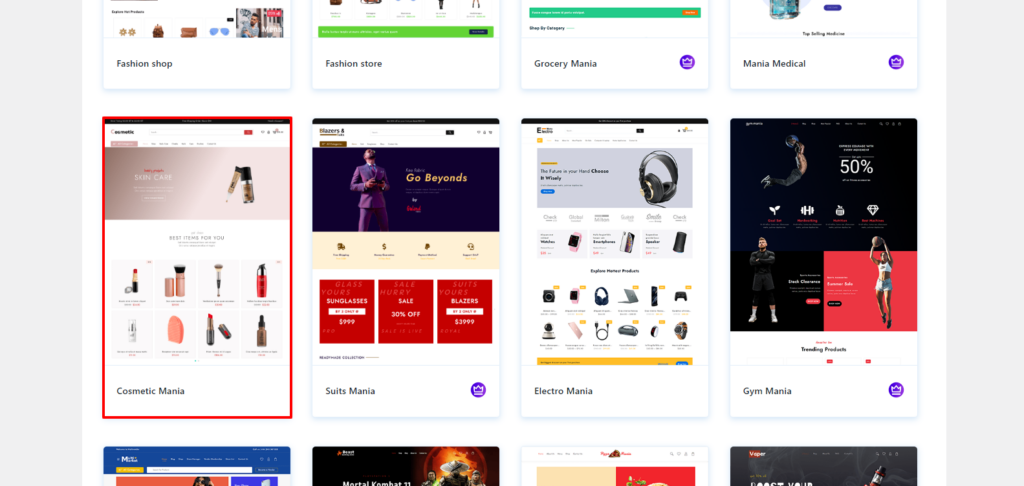
On this page, you will asked to select a page builder, that will help you to customize the page later. You can filter the designs by selecting a category.
There are lots of designs that you can choose from. Some are premium that can be unlocked after getting the premium version.
Step 3) Click on Continue

This page will show the demo of your website. You can see the full website. You can click on back and pick another design but if you want to proceed then you click on Continue. This will take you to the next step.
Step 4) Click on Build My Website
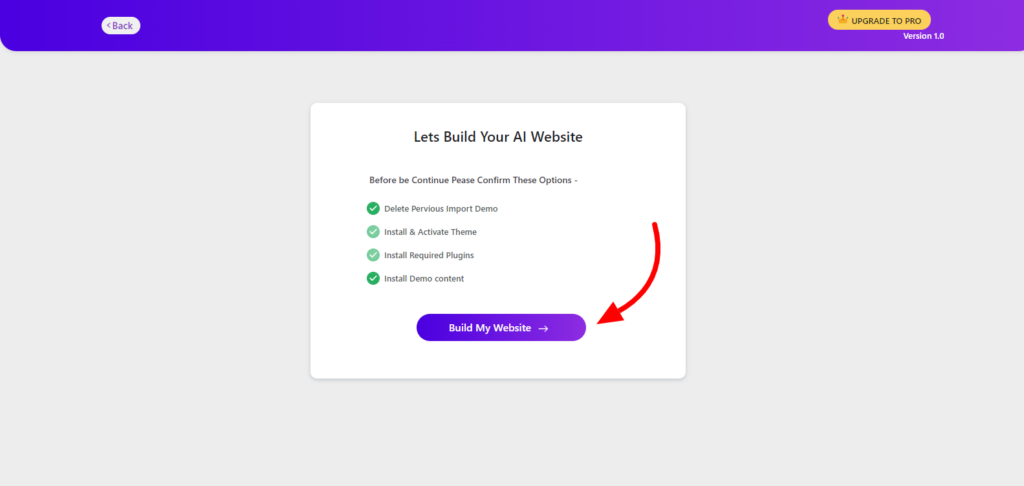
This is the final step between you and your website. You can deselect some points and click Build My Website.
This process may take some time to get the website ready. But I think the website is worth waiting for.
Step 5) Click On View Website
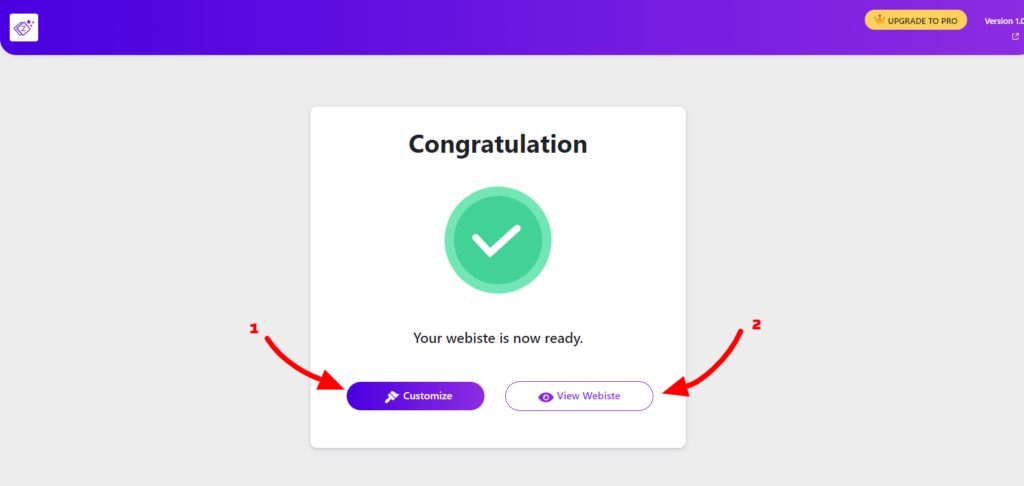
1. Customize – Here you can customize the website that you have built. It will be opened with the page builder that you have selected earlier. You can make any type of changes here. This will help you to enhance the site.

2. View Website – This will redirect you to your website. You can see your website after customizing also.
Your website is ready.
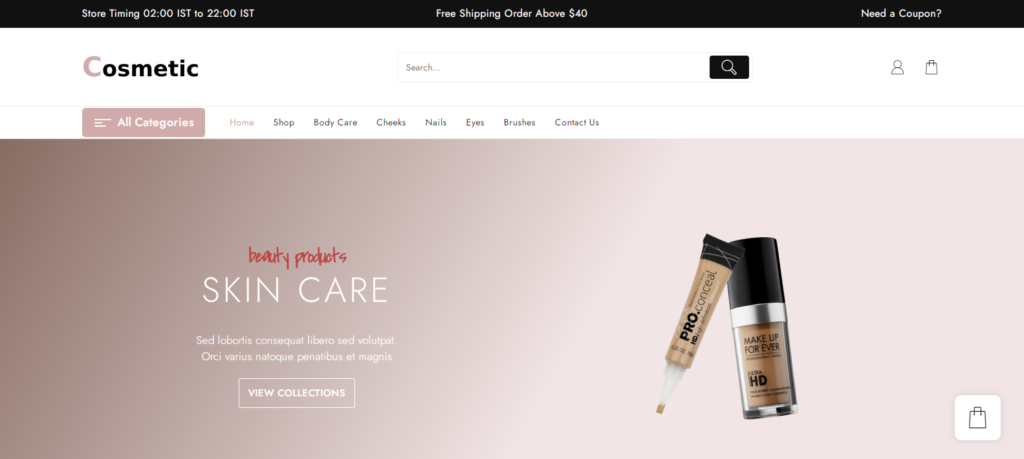
The Website is ready.
It took hardly 2 minutes and we did it in 5 steps and you have got a Cosmetic shop WordPress website. I don’t think you have seen more easier way to build a website before.
Conclusion
So, that is the step-by-step tutorial of the Zita Website Builder. It does not require coding or any type of technical knowledge to build a website. This feature will help the new users to build a website. With this Site Builder, website building has become easier.
There are some more interesting features that you will find by exploring the Builder. It is easy to set up just like another WordPress plugin and its interface is very simple and easy to use.
I hope this blog will help you. There are more blogs that you can see. We have shown tutorials to build more websites. You can also get help from the video tutorials that can show you step by step.