

Once upon a time, website building was back-breaking work. Only developers could do this tough work. They had to write lots of codes that consumed so much time to be completed. So one had to wait for a long to get the website. But now most of the factors have been changed. And the factors have changed the process.
Now even a non-technical person can also build a website with the help of WordPress. There are lots of platforms and tools that ease the website building. In this blog, I will show you a Site builder that is one of the finest website builders.
Its name is Zita Site Builder. This is a WordPress plugin that can create a website within 2 minutes. It may sound impossible, but I will show you step-by-step.
Let’s get started,
What Is Zita Site Builder?
Zita site builder is a WordPress plugin, which is designed to create any type of website within minutes.
It will offer some pre-made designs to choose from. Zita Website Builder can save much time, as you only have to select your favorite design and let the Builder work. Its work and process is very impressive.
Let’s discuss why the Zita Site Builder is special.
Why Choose Zita Site Builder?
Certain factors describe the importance of Zita Site Builder.
- Easy-To-Use – It offers a very simple interface that helps users build websites effectively. No guide is needed to operate the builder.
- SEO – Search Engine Optimization is a crucial factor that affects the website’s growth. So the Zita Site Builder is designed keeping SEO in mind.
- Customization – After building the website, if you don’t like a part or section, then you can customize it and personalize it.
- Multiple Designs – There are not only 1 design that you can build but numerous designs. You can choose your favorite one.
- Text & Video Tutorials – Its tutorials will help you to understand the tool better.
How To Build a Fashion Shop WordPress Website?
In this blog, we will build a Fashion Shop website. Just follow these steps and you will have your website at the end.
First, open the dashboard and go to AI Site Builder
After installing Site Builder, it will be shown in the menu. Click on it to proceed further.
Step 1) Click on Create My Website

Here you can build a website in one click.
Also, you can upgrade the Zita Site Builder to Pro. Just click on UPGRADE TO PRO on the top-right corner. Zita site Builder Pro will offer some more options to build the website.
Step 2) Select the design for the Fashion Shop
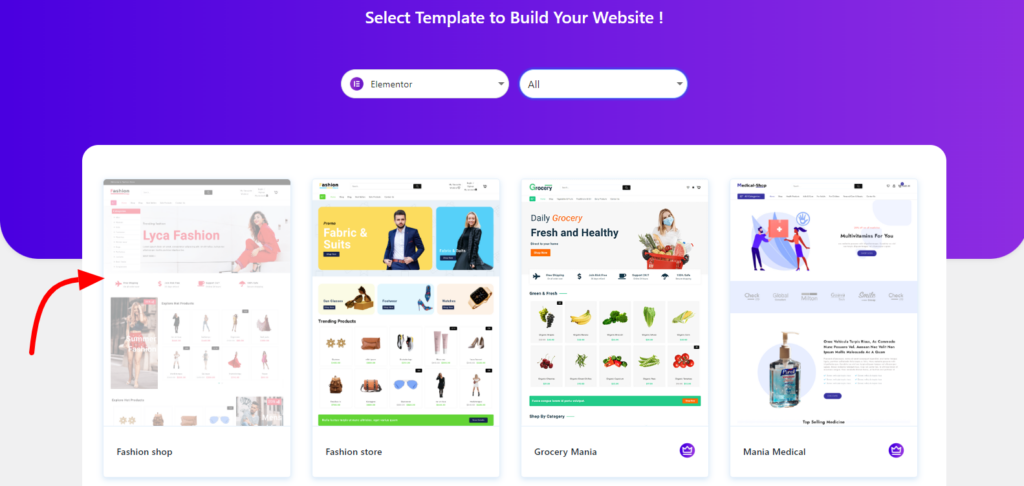
Here, we are selecting only design. Later we can build any type of website related to fashion shops. For example, you can build a Clothes shop, Jewelry Shop, Accessories Shop, electronic Shop, and many more.
So, after selecting the design, you can customize it as per your will.
Step 3) Click on Continue for the next page.
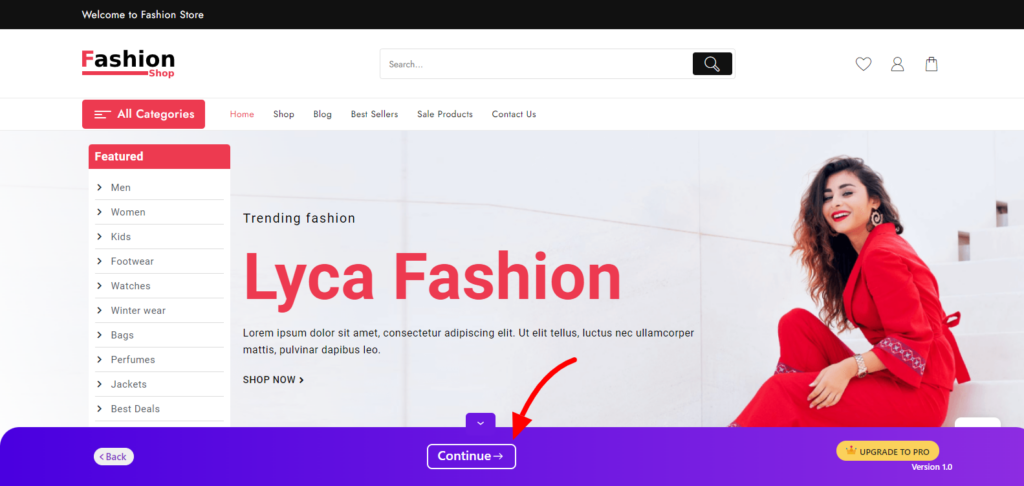
You can change the design also. just click on the back button and choose another design. On this page you can see, how your site will look after completing. Here, you can preview the full website.
Step 4) After Checking These Points, click on Build My Website
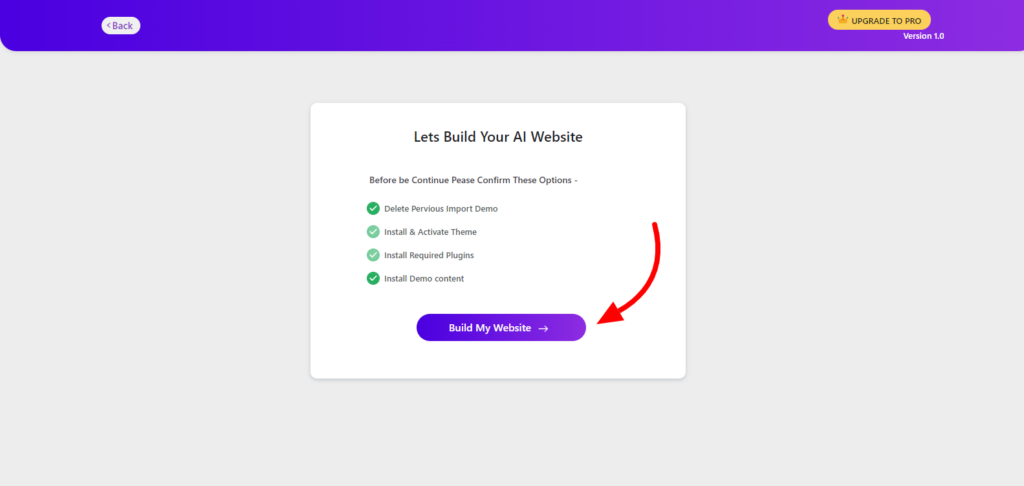
You are only 1 step away from your website. This is the final step to build your website. You can deselect some points if you want to. After a few seconds, your site will be ready.
Step 5) Click on the Customize to go to the customization page
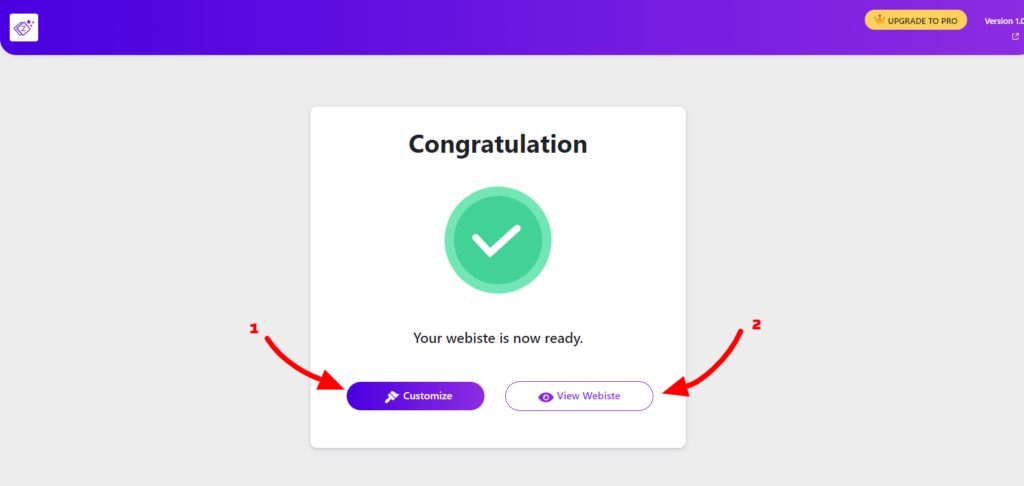
1. Customization – It will redirect you to the customization page where you can edit the page with the page builder that you had chosen earlier. You can customize every section here.
This is the preview of the customization page.

I have selected the Elementor page builder, so the site is opened with Elementor.
2. View Website – This option will redirect you to your site. Here you can see your site.
The site is ready.
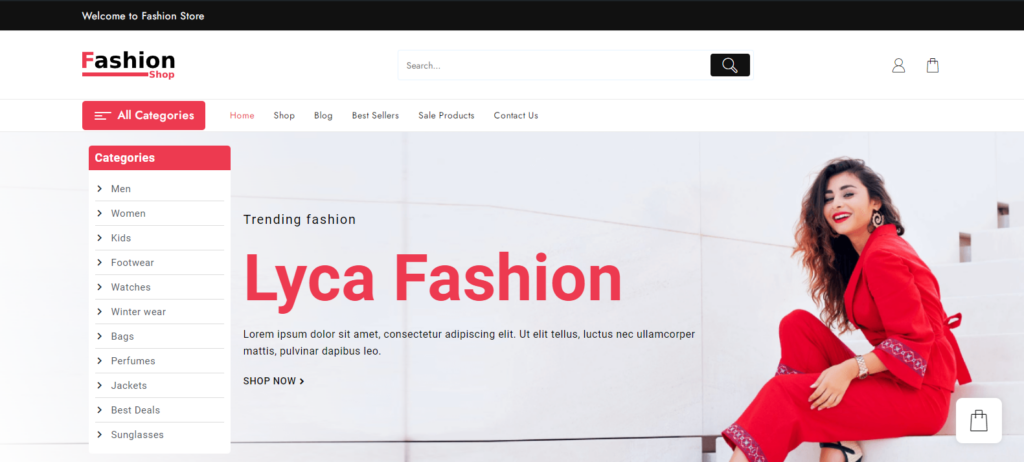
It’s easy to create a site with Zita Site Builder. In 5 simple steps, the site has been built. Isn’t it impressive?
We didn’t use codes a single time in between the whole process and built a beautiful website. Still, you can customize the site with the help of a customizer. So you can completely personalize the site.
Video Tutorial for Creating Site with Zita Site Builder
Conclusion
Zita Site Builder is not a regular WordPress plugin, it is extra-ordinary with awesome features. It is easy to operate which makes it more helpful to the new users.
It is fully integrated with WordPress so feel free to design the website however you want. You can build any website with customization.
If you feel stuck at any point, its documentation will help you. Documentation consists of every detail that you may need or you can ask for support from us also.
For customization, you can opt for your desired page builder. There are a few categories including, eCommerce, Music, Multipurpose, Business, Portfolio, Sports, etc. So after selecting the category, its designs will be shown.
I hope this article helps you to create a Fashion Shop website using Zita Site Builder for WordPress.